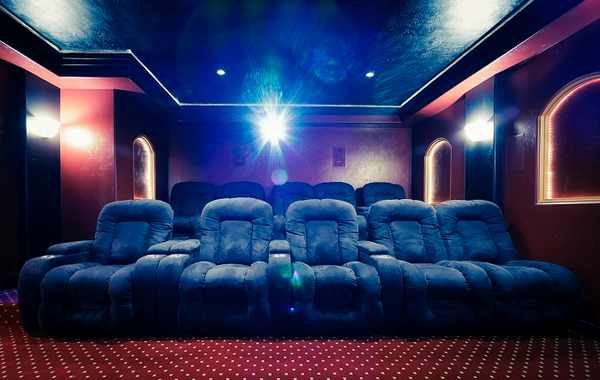
You dim the lights, sink into your sofa, and press play on a highly anticipated blockbuster, only to stare at a washed-out, murky gray rectangle struggling against the afternoon sun filtering through your blinds. Trying to recreate a cinematic experience in a standard living room often leads to severe disappointment when technical specifications clash with real-world room physics. Wading through pages of confusing jargon about native 4K, pixel shifting, and lumen counts makes finding the right home theater projector feel like a frustrating chore.
Our local audio-video experts have already waded through the complicated spec sheets to help you build the exact viewing space you envision at DAVE. We will break down everything you need to know about resolution requirements, actual brightness standards, contrast ratios, and throw distances so you can confidently choose the perfect display for your unique room.
Upgrade Your Viewing Experience Today
Build the ultimate cinematic space with premium projection systems hand-picked by our local experts.
Key Takeaways
- Resolution Realities: Native 4K delivers the maximum sharpness required for massive screens over 100 inches, while pixel shifting offers a budget-friendly compromise.
- Brightness Standards: True brightness is measured in ANSI lumens, with dark theater rooms requiring far fewer lumens than a sunny living room.
- Placement Flexibility: Short throw and ultra-short throw models allow you to project massive images even in tight physical spaces without ceiling mounts.
- Laser Dominance: Laser light sources outlast traditional lamps and maintain consistent color accuracy without regular replacement.
Why Resolution Matters for Your Home Theater Projector
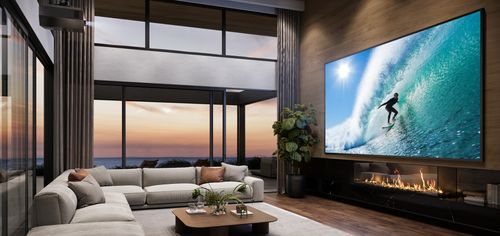
When aiming for massive screen sizes, the visual impact of native 4K resolution becomes highly apparent compared to standard 1080p. As your screen size increases past 100 inches, a 1080p image stretches its pixels across a wider area, creating a softer and sometimes pixelated picture. A true 4K home theater projector packs over eight million distinct pixels onto the screen to maintain razor-sharp details in every frame.
To achieve similar sharpness without the premium price tag, many manufacturers utilize pixel shifting.
Understanding Pixel Shifting
Pixel shifting works by rapidly flashing a lower-resolution image multiple times per second in slightly shifted positions to create an overlapping 4K image. While it provides a noticeably sharper picture than basic 1080p, true native 4k vs pixel shifting comparisons show that native 4K remains the absolute standard for dedicated cinephiles wanting the cleanest image possible.
Brightness and ANSI Lumens Explained
A brighter display is not automatically better if you have a fully light-controlled dedicated room. Brightness is properly measured using ANSI lumens, which provides an accurate, standardized metric of how much light physically hits the screen. You should always ignore marketing claims that only list LED lumens or lux, as these metrics often inflate the actual visible light output.
The amount of light entering your room directly dictates the brightness level you require. For a pitch-black home theater room setup, a projection system outputting around 1500 ANSI lumens produces a stunning, rich image without blinding the audience. If you want the best projector for living room spaces with open windows, you will need a unit pushing 3000 ANSI lumens or more to combat the ambient daylight.
Matching Projector Specifications to Your Viewing Environment
| Viewing Environment | Native Resolution | Recommended ANSI Lumens | Ideal Throw Distance | Recommended Display Technology |
|---|---|---|---|---|
| Dedicated Home Theater | Native 4K | 1500 to 2000 | Standard Throw | Laser |
| Living Room with Ambient Light | Pixel Shifting or Native 4K | 3000 or higher | Ultra-Short Throw | Laser |
| Portable or Outdoor Setup | 1080p | 1000 to 2000 | Short Throw | Traditional Lamp |
The Role of Contrast Ratio and Color Accuracy
Contrast ratio dictates the visible difference between the darkest blacks and the brightest whites your home theater projector can display. A high projector contrast ratio brings cinematic scenes to life by rendering deep, inky shadows without losing the subtle details hidden in dark corners. This extreme dynamic range goes hand-in-hand with Wide Color Gamut capabilities to produce intensely vibrant imagery.
Modern premium projection systems heavily rely on the DCI-P3 color gamut, which is the exact color space used by commercial movie theaters. To maximize these deep blacks in a bright space, an ambient light rejecting screen is highly recommended. These specialized screens feature microscopic ridges that reflect projected light back to the audience while actively absorbing overhead light hitting it from windows or ceiling fixtures.
Choosing Between Short Throw and Standard Throw Projectors
Your physical room dimensions completely dictate your hardware placement based on a metric called throw ratio. This ratio determines exactly how far back the lens must sit from the screen to cast a specific image size. A short throw vs long throw projector comparison ultimately comes down to where you can physically place the unit.
Standard throw units typically sit at the back of a large room or hang from a ceiling mount. Ultra-short throw models are perfect for smaller living spaces because they sit mere inches away from the wall on a standard media console. As a practical installation tip, always measure your ceiling height and account for the vertical lens shift capabilities of your unit to prevent the image from clipping the bottom of your screen frame.
Projector Light Sources: Which Technology Lasts Longer?

The internal light engine determines how long your system operates before requiring maintenance. When comparing a laser vs lamp projector, the differences in longevity and performance become immediately obvious.
Primary Light Technologies
- Traditional Lamp: These bulbs offer a highly affordable entry point but require physical replacement every few thousand hours as they slowly dim.
- LED Engine: Solid-state LED sources run cooler and last much longer than traditional bulbs while maintaining excellent color saturation.
- Laser Phosphor: These premium light engines power up instantly and deliver incredible sustained brightness over a massive 20,000-hour lifespan.
Laser light engines are rapidly becoming the premium standard for a home theater projector because they eliminate routine bulb replacements. They also maintain their color accuracy perfectly over time, whereas traditional bulbs shift in color temperature as they age.
The Pros and Cons of a Home Theater Projector
Investing in a projection system over a traditional large-format television offers massive cinematic scale but requires careful planning. While a 120-inch screen provides an unparalleled viewing experience, you must always account for room lighting and physical setup requirements.
Pros
Massive Screen Size
You can easily achieve screen sizes over 100 inches for a fraction of the cost of an equivalent flat-panel television.
Immersive Viewing
Reflected light from a projection screen is naturally easier on the eyes during long movie marathons than harsh direct light from a TV panel.
Placement Flexibility
Modern ultra-short throw models eliminate the need for complicated ceiling mounts and long cable runs across your room.
Space Efficiency
A motorized screen can roll up into the ceiling, hiding your entire entertainment system when it is not in use.
Cons
Light Sensitivity
Even the brightest units suffer a noticeable drop in contrast and color saturation if direct sunlight hits the screen.
Audio Setup Required
Most units lack high-quality built-in speakers, requiring a separate investment in a dedicated surround sound receiver and external speakers.
Ready to Find Your Perfect Home Theater Projector?
Selecting the ideal home theater projector comes down to matching your desired screen resolution and brightness needs directly to your room layout. Once you establish your ambient light levels and throw distance requirements, building an amazing cinematic space is incredibly straightforward. Stop by DAVE to speak directly with our audiovisual experts, explore our interactive showroom, and take advantage of our professional installation services to bring your favorite movies to life.
Frequently Asked Questions about Home Theater Projectors
ANSI lumens represent a standardized measurement of visible brightness physically hitting the screen, whereas LED lumens often reflect theoretical light source power used for marketing. You should always use ANSI lumens to accurately determine if a unit is bright enough for your specific room.
Native 4K becomes necessary for maximum sharpness when projecting onto massive screens exceeding 100 inches in size. A quality 1080p unit remains perfectly adequate for smaller screens or outdoor movie projector setups where absolute detail is less critical.
You need a minimum of 3000 ANSI lumens to combat daylight in a standard living room environment. Pairing this high brightness output with an ambient light rejecting screen is the best way to maintain picture quality in bright spaces.
An ultra-short throw ratio is highly recommended for tight physical spaces. These models sit directly on a media console right against the viewing wall, eliminating the need for long projection distances.
A standard laser engine operates for approximately 20,000 to 30,000 hours before showing noticeable signs of dimming. This massive lifespan means you can watch movies for decades without ever performing a physical bulb replacement.
Many modern units feature dedicated gaming modes that lower input lag to perfectly acceptable levels for competitive play. You must specifically check the gaming projector latency specifications to find models boasting response times under 16 milliseconds.
Why Trust DAVE?
With 25 years of experience in sales, design, and installation, DAVE has built a reputation for quality, expertise, and customer care. Unlike other retailers that rely on subcontractors, our in-house installation teams ensure precision and professionalism in every project. Our non-commissioned sales staff focuses on educating customers—without the jargon—so you can make informed decisions. Through ongoing training and strong vendor relationships, we stay ahead of industry trends, offering the latest technology at the best prices. Plus, with our 30-day price guarantee, you get top-tier service and the lowest price, every time. For expert advice and professional installation in Buffalo and Rochester, New York, visit Dave Digital and take the first step toward transforming your home.
Shop Home Theater Projectors at DAVE
At DAVE, we make shopping easy with a wide range of in-stock products, financing options, and professional delivery & installation to ensure a seamless experience. Whether you're a homeowner, business owner, builder, or designer, we offer expert support for residential solutions and commercial solutions, repairs, and custom solutions. Take advantage of our exclusive member perks, special promotions, and clearance/outlet catalogs for unbeatable deals. Need help? Submit a form online, and our team will assist you with finding the perfect products. Shop smarter with DAVE—where quality, service, and savings come together!