At a Glance
Many business owners believe that putting a screen on a wall is the final step in a technology upgrade. They buy a few displays, mount them in the lobby, and wait for the results to roll in. Unfortunately, these screens often end up showing outdated information or, worse, sit completely blank because the system is too hard to use. This leads to wasted money and a missed chance to speak to your customers when it matters most.
Getting your tech investment right is vital for the long-term health of your brand and your budget. If you choose the wrong hardware or ignore the technical needs of your building, you face constant repair bills and a system that fails when you need it most. We help businesses move past the simple "screen on a wall" mindset to build a reliable communication tool that actually grows with your company.
This guide provides a clear look at the common errors that derail new technology projects and how to avoid them. We look at the value of a solid content plan and the massive differences between home TVs and professional displays. You will also learn about the network needs for digital signage and how to work with experts to make sure your system stays running for years to come.
Get a Professional Signage Strategy Today
Stop guessing with your tech budget and start building a display network that works for your business.
Commercial Solutions for Modern BusinessesWhy Digital Signage Fails Without a Strategic Plan

Buying screens is only a small part of a successful project. Too often, we see businesses jump straight into a purchase without thinking about how the system will be managed over the next five years. This lack of planning leads to high lifecycle costs that catch owners by surprise. You have to consider everything from the initial commercial AV integration to the monthly costs of keeping the power on and the software running.
Rushing the process almost always leads to a poor experience for your audience. If a screen is too small for the room or the text is too hard to read, your customers will simply walk past it. This creates a cycle of low engagement that makes the entire investment feel like a waste. Instead of viewing this as a one-off hardware purchase, you must treat it as an ecosystem that needs a strong foundation to survive a busy commercial environment.
Technical debt is another huge risk when you skip the planning phase. If you buy hardware that does not play well with your existing network, you will spend more time fixing bugs than showing off your products. A strategic plan looks at how the system will scale. If you start with one screen today but want fifty next year, your current choices must support that growth. Without this foresight, you will likely end up replacing your entire system much sooner than you planned.
Digital Signage Pros and Cons for Businesses
Investing in a digital display network offers a powerful way to communicate with your customers in real time while requiring a dedicated approach to management. While the benefits of instant updates are clear, you must also weigh the technical needs and initial costs involved.
Pros
Provides instant content updates across multiple locations.
Captures customer attention more effectively than static posters.
Reduces long-term printing costs for menus and advertisements.
Allows for scheduled messaging based on the time of day.
Improves the modern feel of your business environment.
Cons
Requires a higher initial investment than traditional signs.
Needs consistent electricity and a stable internet connection.
Demands a regular schedule for content creation and updates.
Can suffer from hardware failure if not maintained properly.
Mistake 1: Prioritizing Hardware Over Content Strategy
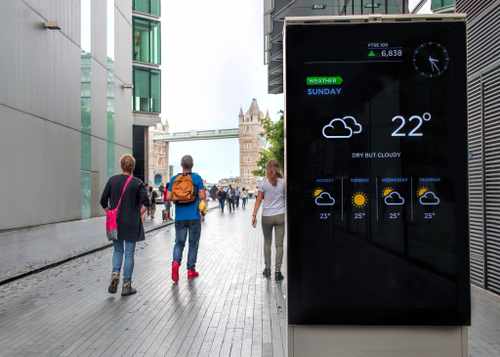
The most common error we see is choosing the screen before knowing what will go on it. Content must always dictate your hardware choice. For example, if you plan to show detailed data like stock prices or complex menus, you need a high-resolution display with a specific aspect ratio that matches your graphics. If the content and the screen do not match, your images will look stretched or blurry, which looks unprofessional to your guests.
Viewing distance and dwell time are two factors that many people miss. If a customer is only walking past a screen for three seconds, you cannot show a long video with small text. You need bold graphics that pop. On the other hand, a screen in a waiting room can handle more detail because people have more time to look. Your digital signage software needs to be easy enough for your team to use so that updates happen weekly or even daily. Fresh content keeps people looking; stale content becomes invisible background noise.
You also need to consider the difference between static and interactive digital displays. Simple menu boards do not need a lot of processing power. However, if you want a touch-screen kiosk where customers can browse a catalog, you need much stronger digital signage hardware and specific software licenses. Interactivity changes everything from how the screen is mounted to how much heat it generates. Plan your content first, and the hardware choice becomes much easier.
Mistake 2: Choosing Consumer Screens for Commercial Needs
It is tempting to go to a big-box store and buy a standard home TV for your business. It looks like a great way to save money, but it is one of the most expensive mistakes you can make. Consumer TVs are built to run for about six to eight hours a day in a climate-controlled living room. In a business, screens often run 16 to 24 hours a day. Professional displays are built with heavy-duty components and heat sinks that allow them to run constantly without the panel burning out.
Brightness levels are another major gap. Home TVs are made for dim living rooms. Most businesses have bright overhead lights or large windows. A standard TV will look washed out and dim in a bright store. Commercial displays have much higher nit ratings, which is the measure of brightness. This makes sure your message stays visible even in high-glare areas. Additionally, using a consumer TV in a business usually voids the warranty immediately. If it breaks after three months, you are stuck with the bill for a new one.
At the showroom, we often see issues with heat dissipation when home TVs are used in portrait mode. Most consumer TVs have vents designed for a horizontal (landscape) layout. When you flip them vertically to act as a digital poster, the heat pools at the top of the unit because the vents are no longer in the right spot. This extra heat kills the pixels and leads to dark spots on the screen within a few months. Commercial units are designed to handle both orientations with proper airflow.
Commercial Displays vs Consumer TVs for Digital Signage
| Feature | Commercial-Grade Displays | Consumer-Grade Televisions |
|---|---|---|
| Daily Operating Hours | 16/7 or 24/7 Continuous Use | 6-8 Hours Per Day |
| Brightness (Nits) | 500 to 3000+ Nits | 250 to 350 Nits |
| Warranty Terms | 3-Year Commercial Warranty | 90-Day or 1-Year (Voids in Business) |
| Bezel Thickness | Ultra-Thin for Video Walls | Standard Wide Plastic Frames |
| Remote Management | Built-in LAN and RS232 Control | Limited to Basic Remote Control |
| Total Cost of Ownership | Lower Due to Longevity | Higher Due to Frequent Replacement |
Mistake 3: Neglecting Network Security and Scalability

A digital signage network is only as strong as the internet connection behind it. Many people forget that high-definition video takes up a lot of bandwidth. If you have ten screens all trying to download a large video at the same time, it can slow down your entire office network. You need a solid infrastructure that can handle the data load without causing bottlenecks for your staff or your customers using the Wi-Fi.
Security is a massive concern that often gets ignored until it is too late. Since many of these systems are cloud-based digital signage solutions, they are connected to the open web. If you do not use professional-grade hardware with built-in security protocols, your screens could be hacked. This is not just about someone putting a funny picture on your screen; a weak signage player can be a backdoor into your company’s sensitive data. We always advise bridging the gap between marketing goals and IT security needs early in the project.
Scalability is about more than just adding more screens. It is about how you manage them. If you have five locations, you do not want to drive to each one with a USB thumb drive to change a price on a menu. You need an enterprise digital signage system that lets you update every screen in the country from one laptop. Local server setups can be stable, but they are hard to grow. Cloud systems offer more flexibility, but they require a steady connection. Knowing which one fits your long-term goal is a key part of the process.
How to Future-Proof Your Digital Signage Investment
The best way to protect your money is to work with professional AV integration experts from the start. They understand the small details that make a big difference, like wall reinforcement and power requirements. A pro will help you choose a system that offers remote monitoring. This means if a screen goes down in one of your stores, we can often see the problem and fix it from our office before your customers even notice. This kind of proactive maintenance is the only way to keep a large system running smoothly.
Software architecture is another area where you want to look ahead. You should choose a platform that offers system analytics. These tools tell you which content is playing and even how many people are looking at the screen. This data helps you refine your digital signage content strategy over time. By seeing what works, you can stop wasting time on graphics that people ignore and focus on the messages that drive sales.
Your roadmap for success should include regular hardware checkups and software updates. Technology moves fast, and a system that is not updated will soon become slow and buggy. Working with a local partner like DAVE ensures that you have someone to call when things go wrong. We don't just sell you a box and walk away. We help you design a system that works today and stays ready for whatever new tech comes out tomorrow.
Maximize Your Digital Signage ROI with DAVE
Success with digital display screens comes down to three things: a smart plan, the right commercial hardware, and a secure network. Avoiding the trap of cheap consumer TVs and focusing on your content first will save you thousands of dollars in the long run. By treating your screens as a vital part of your business instead of an afterthought, you create a professional environment that actually speaks to your customers.
When you are ready to upgrade your space, come see the experts at DAVE. As an independent retailer, we offer the kind of personal help you simply won't find at a big-box store. We provide professional installation and local service to make sure your system works perfectly from day one. Visit our showroom today to see the latest commercial digital signage in person and let our team build a custom solution for your business.
Frequently Asked Questions about Digital Signage
The cost of digital signage installation varies widely depending on the number of screens and the complexity of the mounting needs. You can generally expect to pay for the hardware, software licenses, and the professional labor required to secure the units and run the necessary data lines.
The best digital signage software depends on whether you need simple static images or complex interactive content. Most businesses prefer cloud-based platforms because they allow you to update your screens from any location with an internet connection.
You should not use a standard smart TV for commercial digital signage because they are not designed for the long operating hours of a business. Using a home TV often leads to screen burn-in and usually voids the manufacturer's warranty if used in a professional setting.
Commercial digital display screens are built to last between 50,000 and 100,000 hours of use. This longevity is due to the high-quality cooling systems and heavy-duty components that are not found in standard consumer electronics.
High-contrast graphics and short, punchy videos work best because they capture the attention of people who are on the move. Your content strategy should focus on clear calls to action and bold text that is easy to read from a distance.
While most systems can run on a shared network, a dedicated internet connection for your digital signage network prevents content from buffering. Using a separate line also helps keep your business data more secure by isolating the display traffic.
Why Trust DAVE?
With 25 years of experience in sales, design, and installation, DAVE has built a reputation for quality, expertise, and customer care. Unlike other retailers that rely on subcontractors, our in-house installation teams ensure precision and professionalism in every project. Our non-commissioned sales staff focuses on educating customers—without the jargon—so you can make informed decisions. Through ongoing training and strong vendor relationships, we stay ahead of industry trends, offering the latest technology at the best prices. Plus, with our 30-day price guarantee, you get top-tier service and the lowest price, every time. For expert advice and professional installation in Buffalo and Rochester, New York, visit Dave Digital and take the first step toward transforming your home.
Shop Digital Signage Solutions at DAVE
At DAVE, we make shopping easy with a wide range of in-stock products, financing options, and professional delivery & installation to ensure a seamless experience. Whether you're a homeowner, business owner, builder, or designer, we offer expert support for residential solutions and commercial solutions, repairs, and custom solutions. Take advantage of our exclusive member perks, special promotions, and clearance/outlet catalogs for unbeatable deals. Need help? Submit a form online, and our team will assist you with finding the perfect products. Shop smarter with DAVE—where quality, service, and savings come together!