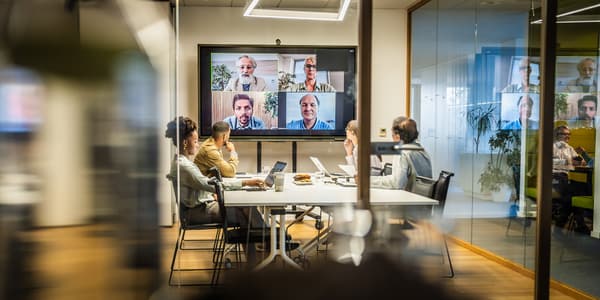
You log in five minutes early, ready to pitch your biggest client of the year, only to spend the next ten minutes apologizing for a frozen screen and static-filled audio. Your presentation slides are perfect, but the choppy feedback makes it impossible for anyone to follow along. Dealing with a poor video conference setup instantly erodes the trust and authority you worked so hard to build. It shifts the attention away from your actual message and focuses everyone on your technical difficulties instead.
Our local technology experts have untangled these exact audiovisual frustrations for countless professionals and designed straightforward solutions that actually work. We know exactly how to transform your home office or boardroom into a high-performance communication hub without blowing your budget. This guide will walk you through the exact audio essentials, lighting techniques, software considerations, and room scaling strategies required to build a reliable, high-performance meeting environment.
Upgrade Your Virtual Meetings
Discover professional-grade AV solutions designed for pristine audio and crystal-clear video.
Key Takeaways
- Audio Supremacy: High-fidelity microphones matter more than a 4K camera because poor sound quality immediately causes listener fatigue and disengagement.
- Lighting Precision: Proper illumination eliminates harsh shadows and dramatically reduces the processing load on your computer.
- Scalable Solutions: Moving from a personal home office to a larger huddle room requires dedicated group hardware like video bars and advanced acoustic treatments.
Building the Foundation: Essential Audio and Visual Gear

Start with the absolute non-negotiables for any setup. A dedicated camera and a high-fidelity microphone are the bedrock of professional communication. Relying on built-in laptop hardware almost always falls short in professional environments. Those tiny internal lenses and basic microphones struggle with low light and pick up every background noise in the building.
Prioritizing Your Upgrades
Upgrading to dedicated video conference equipment fixes these glaring weak points. We highly recommend starting with a USB conference microphone featuring built-in noise cancellation. Audio quality is actually far more critical than video clarity for meeting retention. If your screen freezes, people can still listen to your pitch, but if your audio is distorted, they will simply tune out.
Selecting the Right Visuals
Once your sound is dialed in, turn your attention to external USB webcams. The best webcams for meetings offer larger sensors that capture more light and detail than a standard laptop lens. When selecting your base components, look for these three specifications:
- Beamforming technology: This helps microphones isolate your voice and block out ambient room noise.
- Autofocus capabilities: A responsive lens keeps your face sharp even if you lean forward or shift in your chair.
- Plug-and-play connectivity: Standard USB connections prevent the need for complex driver installations right before a call.
Creating a Studio-Quality Backdrop for Your Video Calls
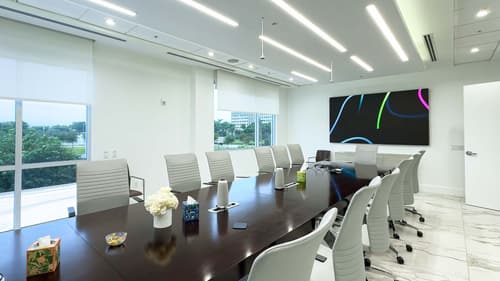
Great meeting room hardware cannot fix terrible lighting or a chaotic environment. Proper illumination is necessary to eliminate harsh shadows and keep your facial expressions visible. You can achieve this by placing a dedicated ring light for calls directly behind your monitor, facing you. If a ring light is too intense, bouncing a strong desk lamp off a nearby white wall creates a soft, flattering glow. For optimal facial illumination, position your primary light source at a 45-degree angle to your face and slightly above eye level to avoid casting dark shadows under your brow bone.
Background management is just as important as your lighting setup. Avoid sitting with your back to an uncovered window, as the bright backlighting forces your camera to darken your face into a silhouette. Choose a clean, distraction-free environment that keeps the focus entirely on you. Proper environment setup actually reduces the digital load on your video conferencing software. When your camera does not have to constantly adjust for poor contrast or moving background objects, you get significantly smoother streaming.
From Huddle Rooms to Boardrooms: Scaling Your AV Tech
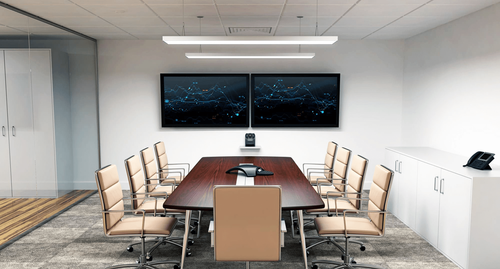
The technology you need changes drastically as you move from a solo remote work gear setup to a collaborative space. Small business AV setup requirements often begin with personal peripherals at individual desks. As teams grow, you must shift toward group-based hardware designed to capture multiple voices and faces simultaneously.
Transitioning to Group Hardware
It is time to move away from a simple plug-and-play USB device when more than two people need to participate from the same room. At this stage, modular systems like video bars and central speakerphones become necessary. These devices feature wide-angle lenses and powerful microphone arrays designed to cover an entire table.
Managing Room Acoustics
Larger conference room solutions also introduce new challenges with echo and reverb. Bare walls and glass tables bounce sound waves around the room, making it hard for remote participants to hear clearly. Installing sound-absorbing materials like acoustic panels or even heavy curtains can dramatically improve audio capture in these larger spaces.
Maximizing Your Workflow with the Right Meeting Ecosystem
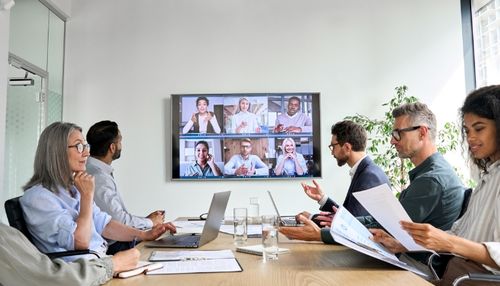
Your hardware is only as good as the software supporting it. The reliability of platforms like Zoom, Teams, and Google Meet depends heavily on how well your equipment integrates with them. We suggest choosing hardware that is officially certified for your specific conferencing platform. This creates a cohesive ecosystem that prevents driver conflicts and audio drops.
Stable internet connectivity is another massive factor in your overall success. While Wi-Fi is convenient, a hardwired Ethernet connection prevents the sudden packet loss that causes your voice to sound robotic. Keep your software updated and practice secure screen sharing tools habits to protect sensitive information during presentations. Simple, secure software practices are just as vital as the physical gear for maintaining a professional image.
Side-by-Side Guide to Your Conferencing Tech Options
| Category | Primary Use Case | Budget Level | Setup Complexity | Key Benefit |
|---|---|---|---|---|
| External Webcam | Upgrading from poor laptop video quality. | Low to Medium | Very Low | Provides sharper resolution and better low-light performance. |
| USB Microphone | Solo desktop presentations and daily calls. | Low to Medium | Low | Delivers broadcast-quality voice clarity while reducing background noise. |
| Speakerphone | Small team collaboration in huddle spaces. | Medium | Moderate | Captures audio from multiple people sitting around a central table. |
| Lighting Kit | Eliminating shadows in dark home offices. | Low | Low | Brightens the subject and helps the camera maintain a high frame rate. |
The Pros and Cons of Video Conference Equipment
Investing in high-quality audiovisual gear requires an upfront commitment of both time and money. However, balancing these initial costs against the long-term gains in communication efficiency makes the decision much easier for most professionals.
Pros
Audience Trust
High-definition visuals and crisp sound instantly establish authority and professionalism with clients.
Reduced Technical Friction
Purpose-built hardware connects smoothly and stays connected without constant troubleshooting.
Vocal Clarity
Advanced microphones prevent the dreaded echo effect and keep your voice sounding natural.
Better Engagement
When participants can see and hear you perfectly, they remain focused on your message rather than technical glitches.
Cons
Initial Costs
Building out a complete multi-device setup requires a larger budget than relying on integrated laptop components.
Learning Curve
Calibrating external lighting and adjusting software inputs can take some practice for beginners.
Upgrade Your Business Communication with DAVE
A reliable video conference setup is a direct investment in your personal brand and overall business efficiency. By upgrading your cameras, microphones, and lighting, you eliminate frustrating technical barriers and allow your true expertise to shine through. Stop settling for choppy communication and explore the curated professional audio setup selections available at DAVE. Shopping with our independent retail experts means you get tailored guidance, post-purchase support, and professional installation that big-box stores simply cannot match.
Frequently Asked Questions About Video Conference Equipment
Yes, an external camera provides significantly better resolution and low-light performance than standard built-in laptop lenses. The larger sensor captures more detail and allows you to adjust the physical angle for a much more flattering perspective.
A high-quality central speakerphone or audio bar is the absolute most important component for hybrid collaboration spaces. If remote participants cannot clearly hear the people speaking in the physical room, the entire meeting breaks down completely.
You can dramatically improve your sound by switching to a wired USB conference microphone and adding soft furnishings to your workspace. Rugs and simple acoustic panels are cost-effective meeting room acoustics solutions that absorb the harsh echoes that ruin call clarity.
A dedicated front-facing light is still highly recommended because standard overhead office fixtures cast dark, unflattering shadows under your eyes and chin. A ring light fills in those shadows with soft, direct illumination on your face.
Slow or unstable internet connections force your software to compress the video and audio feeds, neutralizing the benefits of your high-end hardware. Plugging your computer directly into the router with an Ethernet cable provides the stable bandwidth needed for uncompressed streaming.
A business should upgrade to an all-in-one conference bar as soon as three or more team members regularly join calls from the same physical room. Group hardware allows everyone to speak naturally without awkwardly passing a single headset or laptop back and forth.
Why Trust DAVE?
With 25 years of experience in sales, design, and installation, DAVE has built a reputation for quality, expertise, and customer care. Unlike other retailers that rely on subcontractors, our in-house installation teams ensure precision and professionalism in every project. Our non-commissioned sales staff focuses on educating customers—without the jargon—so you can make informed decisions. Through ongoing training and strong vendor relationships, we stay ahead of industry trends, offering the latest technology at the best prices. Plus, with our 30-day price guarantee, you get top-tier service and the lowest price, every time. For expert advice and professional installation in Buffalo and Rochester, New York, visit Dave Digital and take the first step toward transforming your home.
Shop Conference Room Solutions at DAVE
At DAVE, we make shopping easy with a wide range of in-stock products, financing options, and professional delivery & installation to ensure a seamless experience. Whether you're a homeowner, business owner, builder, or designer, we offer expert support for residential solutions and commercial solutions, repairs, and custom solutions. Take advantage of our exclusive member perks, special promotions, and clearance/outlet catalogs for unbeatable deals. Need help? Submit a form online, and our team will assist you with finding the perfect products. Shop smarter with DAVE—where quality, service, and savings come together!